The difference between "we have CI/CD" and "our CI/CD works"
A lot of engineering teams will tell you they have CI/CD. What they usually mean is that they have a script that runs tests on push and maybe a deployment step at the end. That's not wrong — but it's also not what we'd call a working pipeline.
A working pipeline has four properties that matter when something goes wrong at 11pm on a Thursday:
- You can tell in under two minutes whether a deployment succeeded or failed
- You can roll back to the previous working version in under five minutes
- You can see exactly which commit is running in production right now
- The pipeline treats staging identically to production — same config, same secrets mechanism, same database migration approach
Most pipelines don't have all four. Usually it's a missing rollback strategy or a staging environment that's drifted far enough from production that tests passing there don't tell you much.
What the stages should actually be
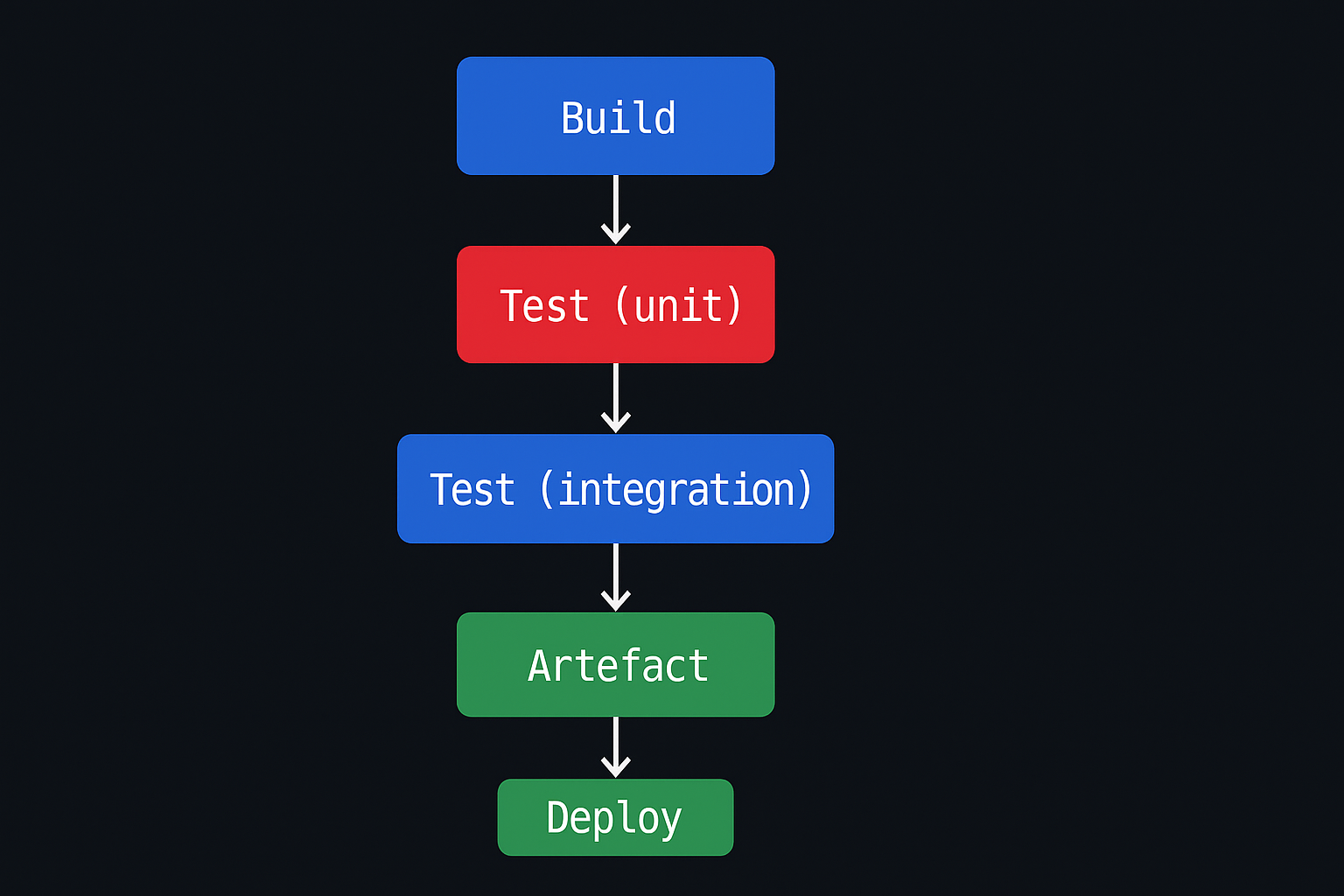
The word "pipeline" is doing a lot of work. The literal meaning — a sequence of stages — matters for how you set this up. When a pipeline is a single job that runs everything sequentially, every failure costs you the full runtime. When it's properly staged, a failing unit test in stage one stops before you've spent 12 minutes on an integration test suite.
Stage 1: Build and validate
This stage should be fast. Its job is to catch the things that don't require running your application: compilation errors, dependency resolution failures, linting errors that indicate genuine bugs (not style preferences). For most applications this stage should complete in under two minutes. If it's taking longer, that's usually a sign that things have been added here that belong elsewhere.
Stage 2: Test
This is where it gets complicated because "test" can mean a lot of things. We split this further in practice:
- Unit tests: run in parallel, no external dependencies, fast. If these take more than five minutes there are usually too many or they're doing too much.
- Integration tests: run against a real database (not a mock), real message queues, real caches. These should run in a clean environment spun up for the purpose — not against a shared staging database that accumulates state over time.
- End-to-end tests: the slowest category. We're selective about what goes here. If a team has 200 end-to-end tests that take 40 minutes to run, we usually recommend cutting that to 20 critical path tests and moving the rest to a scheduled run rather than blocking every deploy.
Stage 3: Build artefact
Build the Docker image (or whatever you're deploying). Tag it with the git SHA. Push it to your registry. This produces an immutable artefact that can be promoted through environments without rebuilding. This is important: you should be deploying the same artefact to staging that you deploy to production, not building it again.
Stage 4: Deploy to staging
Deploy automatically. Run smoke tests. If staging is set up correctly, this tells you something useful. If staging is a six-month-old snapshot that nobody updates, this stage is noise and you should either fix staging or remove it and be honest about the fact that you're deploying straight to production.
Stage 5: Deploy to production
For most teams we work with, this is a manual trigger — a human approves the production deployment. ArgoCD's sync mechanism works well for GitOps teams: a merge to main updates the manifests, and the deployment follows after review. The key thing is that this step is tracked. Who deployed, what SHA, when, from which pipeline run.
The rollback problem
Rollback is underspecified in most pipeline implementations. The pipeline gets built, it deploys successfully, and nobody thinks about what happens when the deployment needs to be reversed.
The rollback strategy should be defined before the pipeline is built, not after a production incident. There are two viable approaches depending on your application:
If your application handles schema migrations through a separate process and your API is backward-compatible between versions, you can roll back the application without rolling back the database. This is the easier case. Deploy the previous image tag and you're done.
If you have schema migrations that are not backward-compatible — which is more common than teams tend to admit — rolling back requires either a database restore or a forward migration that restores the previous schema. The second option is preferable and should be tested before you need it.
Secrets and environment variables: the thing that keeps breaking
We see this in almost every audit: environment variables set manually in a CI/CD platform's UI, different values in staging versus production, no record of when they were last changed or by whom.
The working approach is to use a secrets manager — AWS Secrets Manager, HashiCorp Vault, or your cloud provider's equivalent — and to pull secrets at runtime rather than injecting them as environment variables at build time. The pipeline itself stores only the ARN or path to the secret, not the value.
This gives you rotation without redeployment, audit logs for secret access, and a single place to look when a credential rotates and something breaks.
What "environment parity" actually means in practice
Staging and production should be different in exactly two ways: the URLs and the data they contain. Everything else — the infrastructure topology, the secrets mechanism, the deployment process, the monitoring configuration — should be identical, managed from the same Terraform modules.
In practice this is hard to maintain because people make urgent changes in production without updating staging, and because staging is often sized down to save costs in ways that change behaviour under load. We handle the cost problem by keeping staging at a reduced scale but structurally identical — same number of services, same networking topology, smaller instances.
What to look at first if your pipeline is slow
Pipeline slowness is usually in one of three places. In order of frequency:
- Docker builds that aren't using the cache correctly. Layer ordering matters. If you copy your entire source directory before installing dependencies, a one-line code change invalidates the dependency layer. The fix is to copy dependency manifests first, install, then copy source.
- Integration tests running against a shared environment. Tests that depend on shared state run sequentially to avoid conflicts. Move them to isolated environments and they can run in parallel.
- End-to-end tests on every commit. Move these to a scheduled pipeline or a separate trigger. They're valuable but not worth blocking every deploy on.
A note on GitHub Actions versus alternatives
We use GitHub Actions for most teams unless there's a specific reason not to. It's close enough to the code, the ecosystem of actions is wide, and the YAML syntax, while imperfect, is at least consistent. GitLab CI is a better choice for teams already on GitLab. CircleCI is worth considering if you have very complex parallelisation requirements. Jenkins, in 2025, requires a strong justification.
The platform matters less than the design. A well-designed pipeline on any of these will outperform a poorly designed pipeline on any of them.