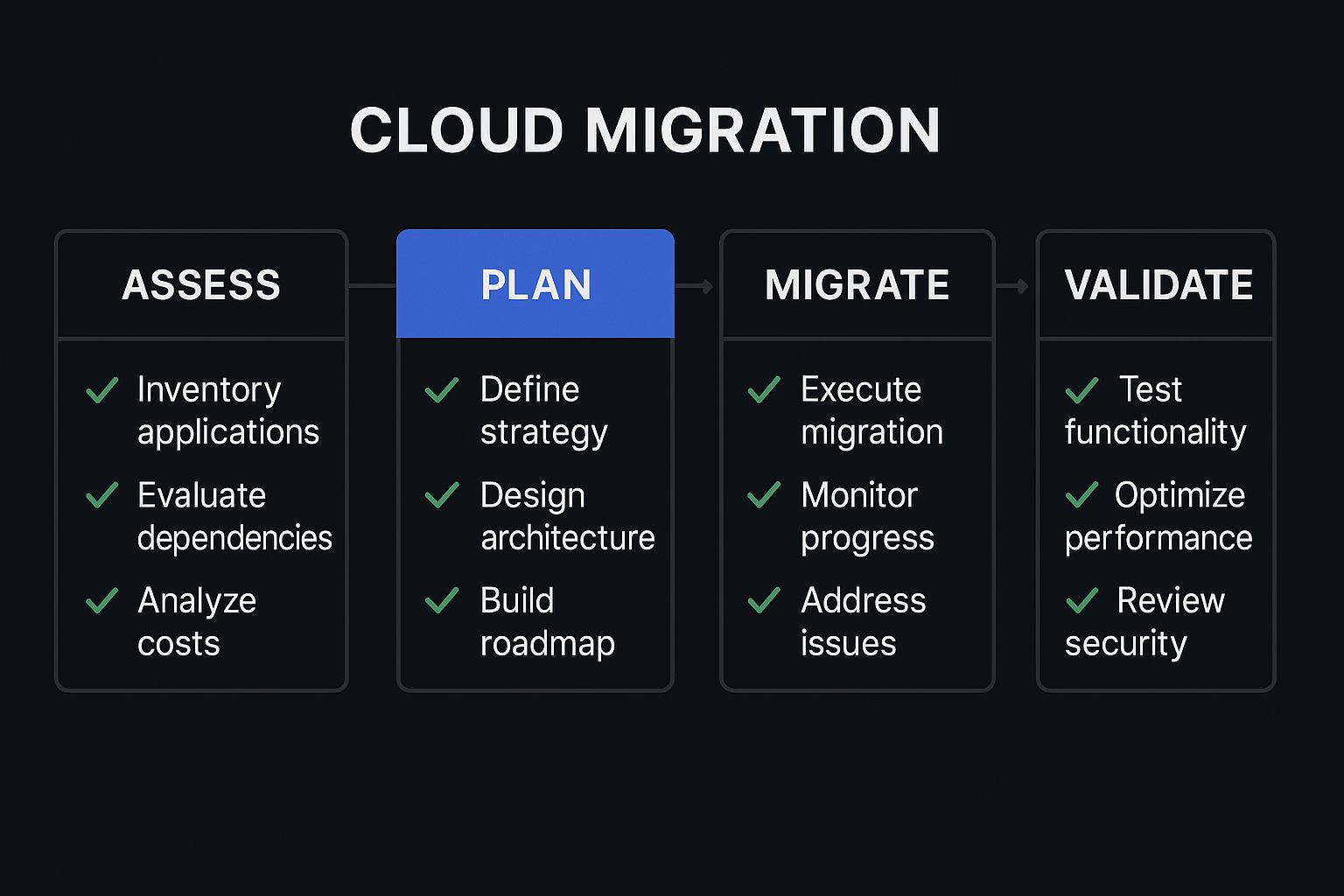
Before you start: the inventory
The first thing any migration requires is a complete inventory of what you're moving. This sounds straightforward and usually is not. Systems that have been running for a few years tend to accumulate undocumented dependencies — the cron job on the old server that emails a report, the service that connects to a database using credentials stored directly in a config file nobody looked at, the third-party integration that uses a hard-coded IP address.
The inventory we do before every migration:
- All running processes on every server, not just the ones in the deployment documentation
- All outbound connections, including where they're going and what port
- All inbound connections, including which services expect to be reached at specific IP addresses rather than DNS names
- All scheduled jobs (cron, system timers, database scheduled tasks)
- All credentials and where they're stored
- All third-party services and whether they're integrated by IP, domain, or API key
The last point matters more than it seems. If a third-party service has whitelisted your current IP address and you're migrating to a new IP, you'll need to update that whitelist before cutover — and the process of doing so varies widely. Some services update immediately, some take 24 hours, some require a support ticket. Finding this out after you've cut over is avoidable.
Setting up the target environment
The target environment should be fully provisioned and validated before any data moves. This means:
- All infrastructure provisioned in the target cloud via Terraform or equivalent
- All security groups, network ACLs, and firewall rules configured
- All application dependencies (databases, caches, message queues) running and accessible
- Monitoring and alerting configured — not as an afterthought, but before anything is running in production
- Backup configuration in place before data is migrated
The thing most commonly skipped here is monitoring. Teams get to the migration week, focus on moving data and applications, and end up in production on the new infrastructure without working alerts. If something goes wrong in the first 48 hours, they find out through a customer complaint rather than an alert. This is fixable before you start.
The staging migration
Run the full migration to a staging environment before running it in production. This is not about testing whether the migration scripts work. It's about finding the undocumented dependencies that the inventory missed, the database migration that takes six hours instead of the expected 45 minutes, the application that needs a config value you didn't know about.
The staging migration should use a recent copy of production data. A migration that works against a stale or synthetic dataset does not tell you whether it will work against the real thing. Database migrations in particular can behave differently depending on the data volume and shape.
Document the actual time each step takes during the staging migration. This gives you a realistic timeline for the production cutover window.
The cutover plan
The cutover plan should be written out as a sequence of steps with a responsible person for each step, expected time, and a rollback decision point. It should be reviewed by everyone involved before cutover day, not read for the first time during the cutover.
The rollback decision point is important. At what moment is it no longer possible to roll back to the old environment? What is the trigger for deciding to roll back versus continuing? These decisions should be made in advance, not in the middle of a cutover at 2am when there's pressure to push forward.
For most migrations, we keep the old environment running in parallel for a defined period after cutover — usually 48 to 72 hours — with traffic routed to the new environment. If something is wrong, switching DNS back is a quick operation. After the parallel period with no issues, the old environment is decommissioned.
DNS and the TTL problem
If you're migrating a public-facing service, DNS TTL management is its own item on the checklist. Lowering your DNS TTL to 60 seconds at least 48 hours before cutover means that when you change the DNS record, clients pick up the change within a minute rather than the next N hours of your previous TTL. After migration is stable, restore the TTL to something sensible.
Clients caching DNS beyond the TTL is a real problem that the TTL reduction doesn't fully solve, but it minimises it. Plan for a period after DNS cutover where some proportion of traffic may still reach the old environment.
After the migration
Post-migration validation is its own phase, not a quick sanity check. Before closing the migration:
- Verify all scheduled jobs are running on the new environment (and not also on the old environment)
- Verify all monitoring alerts are correctly routed and firing appropriately in test
- Verify backup jobs are running and producing valid backups (restore a test backup, don't just check that the job ran)
- Verify all credentials are in the secrets manager, not in config files
- Remove any temporary access that was granted during migration
- Update all documentation that references the old infrastructure
The documentation update is the one most often left incomplete. The runbook that says "restart the service by SSH-ing to 46.x.x.x" is now wrong, and it will mislead someone at 3am in six months' time.
What to do when things go wrong
Things go wrong in migrations. The plan accounts for it by having a rollback option available, a decision point for when to use it, and a clear communication plan for stakeholders. The worst migrations we've seen are not the ones where something unexpected happens — it's the ones where something unexpected happens and there's no clear process for deciding what to do about it.
The checklist doesn't prevent surprises. It makes the surprises smaller and the response to them faster.